Synchronize Development and Production Servers
We have seperate development and production database servers. The goal is to sync the databases schemas and data for both environment.
Servers
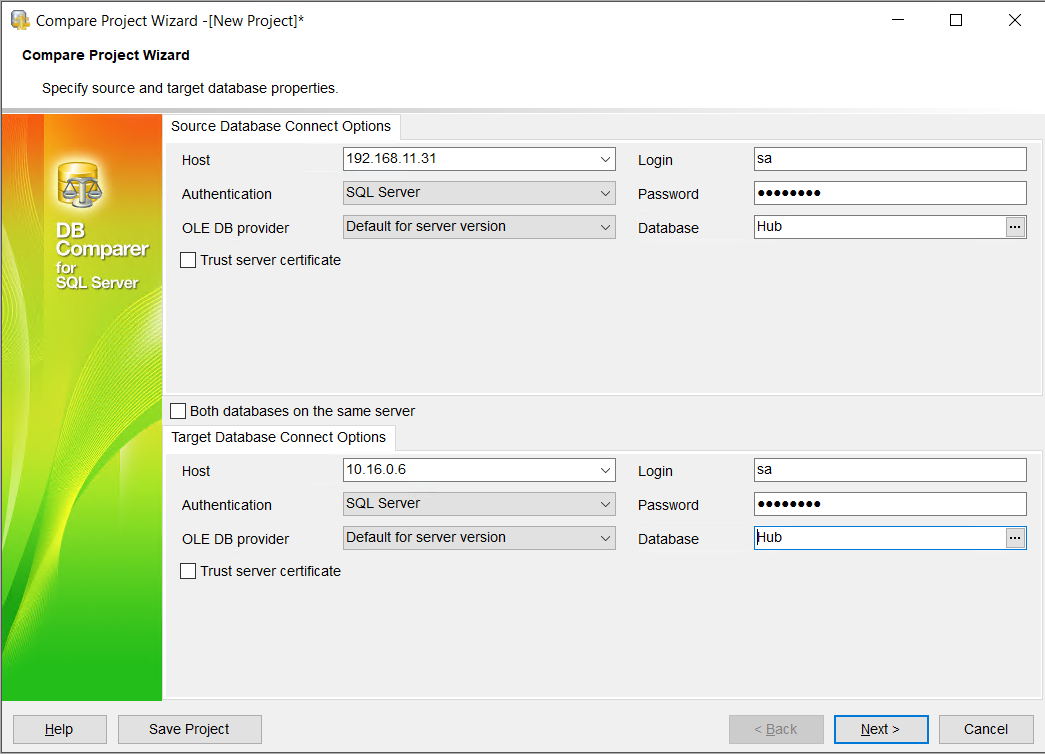
Development 192.168.11.31
Used during development and for staging.
Production 10.16.0.6
Used for production.
When working remotely, you should work through the Remote Desktop by connecting to
192.168.11.32virtual machine.

Synchronizing Databases Schemas
DB Comparer for SQL Server
- Open Project > New Project
- Setup the Source and Target databases with login credentials
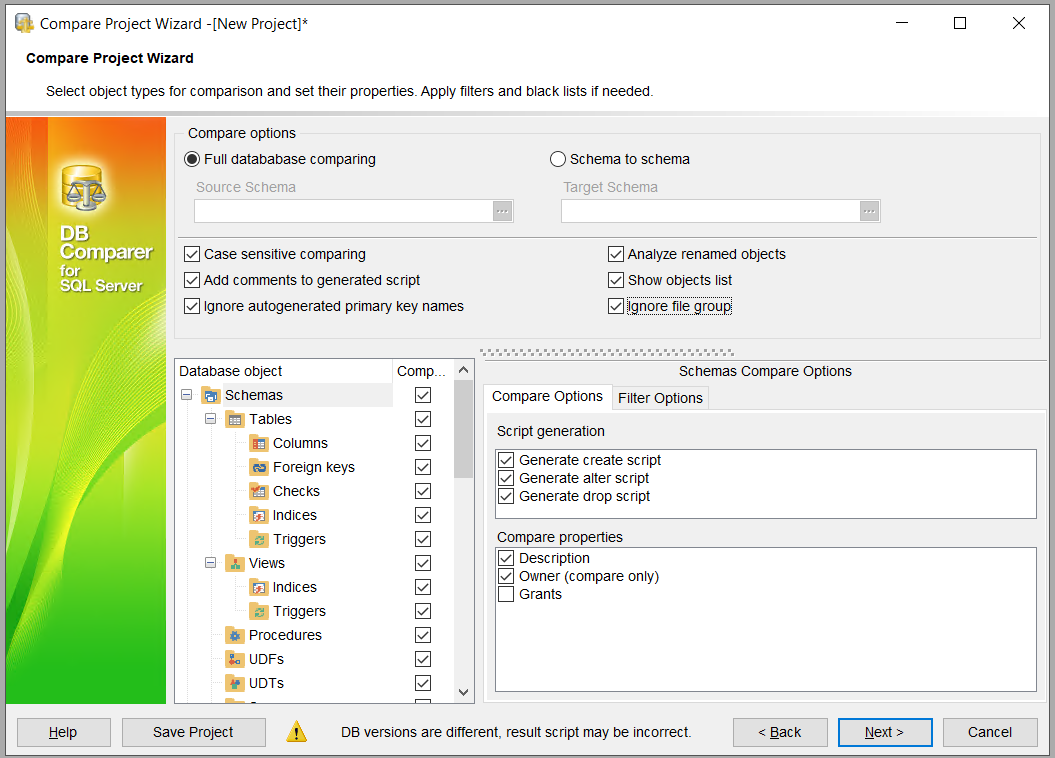 3. Review the comparasion results

-
Resolve Differences > Right Click > Execute All Scripts
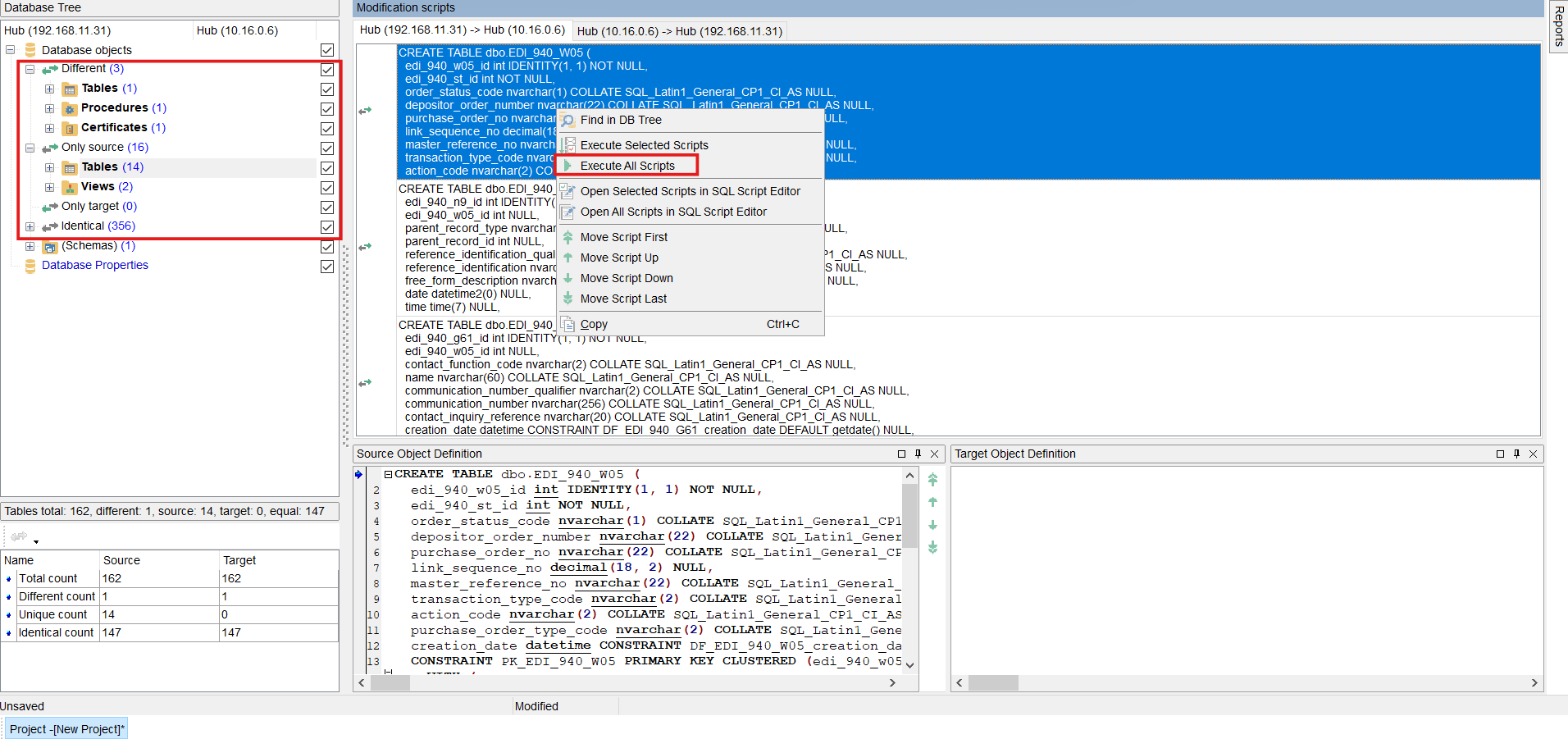 DB Comparer handles creating the required SQL scripts for tables, views, procedures,...
You can still review or edit the scripts before executing.
-
Full Recompare after execution to verify the changes.
Synchronizing Data
Data Comparer for SQL Server
Similar to the DB Comparer, you have to enter the servers credentials and select the database to compare.
- Select the tables you want to compare, you can compare more that one table at the same time
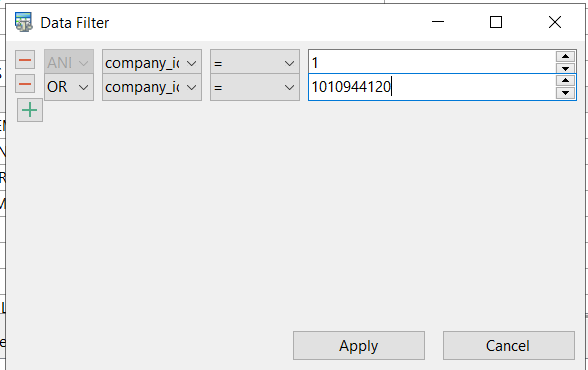
- Optionally set a filter (works like a WHERE clause). Note that if you do not set a filter for the table, all the records will be compared and possibly synchronized.

- Review compare summary

- Follow the steps by clicking on the Next button
- Finally, the Synchronize button will insert/update the compared records.
- Recompare to view the changes
